1. What the controls mean
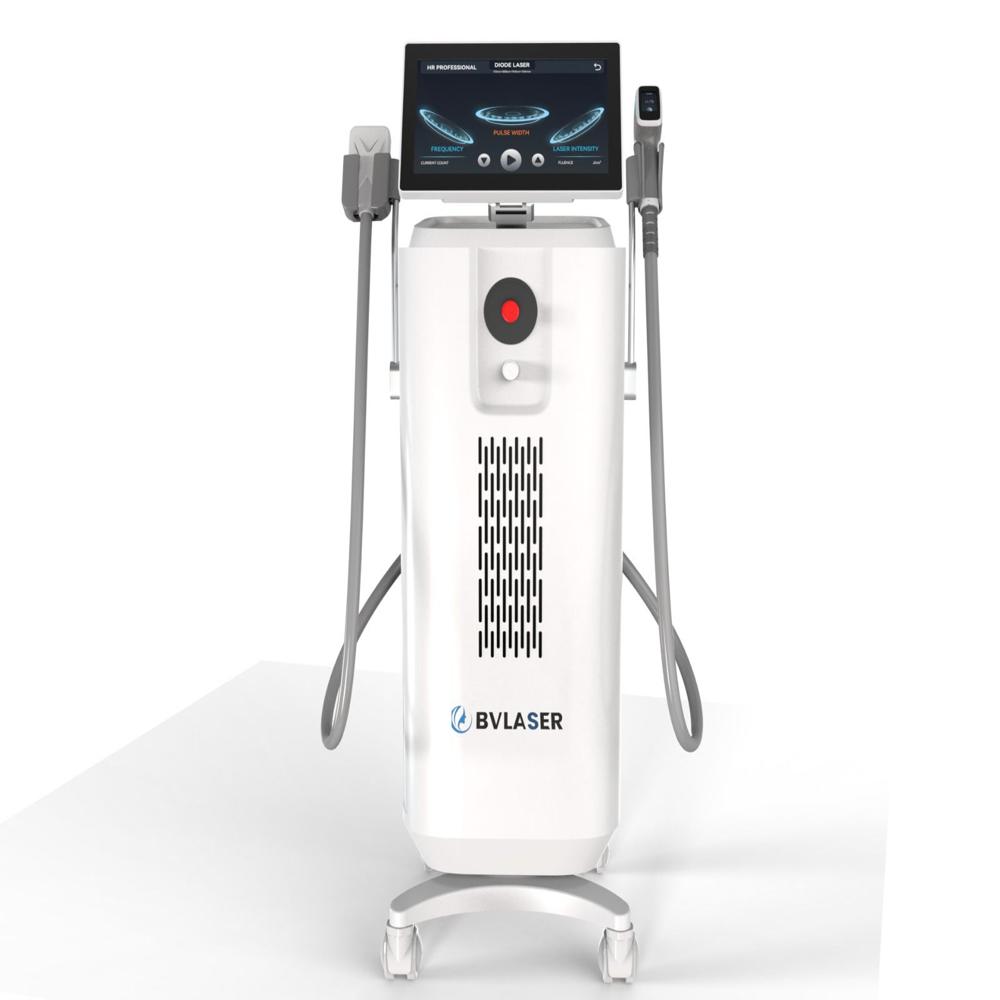
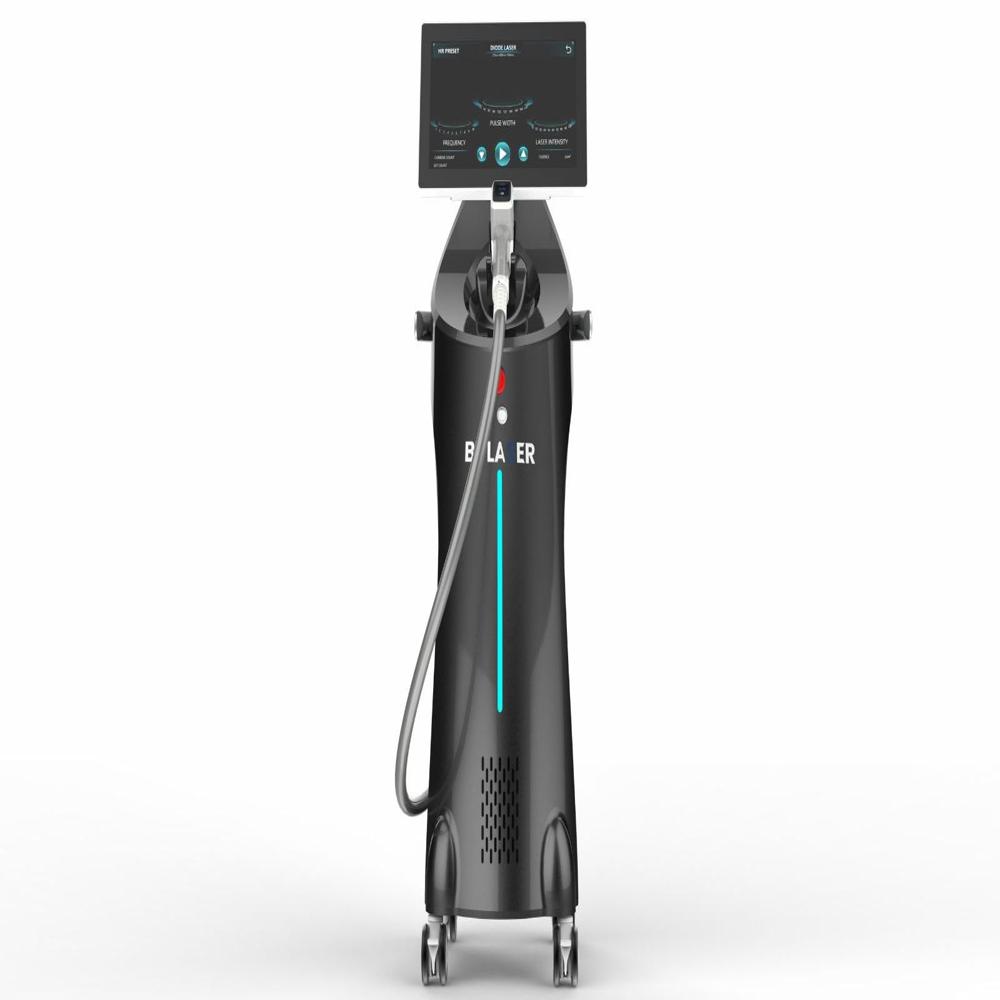
On the screen in your photograph:
| Display |
Meaning |
| FREQUENCY (Hz) |
Number of laser pulses delivered per second |
| PULSE WIDTH (ms) |
Duration of each laser pulse |
| LASER INTENSITY (%) |
Laser output/intensity control |
| FLUENCE (J/cm) |
Energy density delivered to the skin |
| CURRENT COUNT |
Number of shots already delivered |
| SET COUNT |
Target/pre-set number of shots, if available |
| / READY |
Changes the system into treatment/ready state |
BVLASER documentation describes the HR Professional interface as using frequency, pulse width and laser intensity, with fluence changing when these parameters are changed.
2. How the treatment system works
The diode laser targets melanin in the hair follicle. Absorbed light is converted into heat, damaging structures responsible for hair growth. BVLASER says its systems may use wavelengths such as 755, 808, 940 and 1064 nm, depending on the particular model.
Your exact machine's wavelength cannot be confirmed from this photograph, so don't assume it is a particular wavelength just because another BVLASER model uses it.
3. Basic operating procedure
Before treatment
- Check the machine, handpiece and cable for damage.
- Confirm the correct handpiece/spot size.
- Make sure the cooling system is operating correctly.
- Screen the client and document skin type, hair characteristics and relevant medical history.
- Avoid treatment over irritated, infected or damaged skin.
- The treatment area is normally shaved rather than waxed/plucked so the follicle remains available as the target.
- Clean the treatment area.
- Both operator and client need appropriate laser protective eyewear for the wavelength being used.
- Use the cooling method specified by your exact BVLASER model.
BVLASER's own treatment guidance describes cleaning/preparing the area and shaving before treatment.
4. Selecting HR Professional
From the interface shown in your picture:
Home screen HR Professional select/confirm skin type or treatment preset adjust parameters READY treatment
Some BVLASER manuals provide preset skin-type selections IVI.
The exact menu can differ between BVLASER models.
5. How to use the handpiece
Once the appropriate settings have been selected:
Standby position handpiece correctly establish skin contact READY activate the handpiece treat systematically.
Some BVLASER manuals describe activating the laser using the switch on the handpiece and keeping the treatment tip in appropriate contact with the skin.
For a stamping technique, the handpiece is positioned on one area, a pulse is delivered, then moved to the next area.
For a sliding/in-motion technique, the handpiece remains appropriately coupled to the skin while being moved continuously according to the manufacturer's protocol.
Do not repeatedly fire on the same spot.
6. Very important: don't copy random settings
I can explain the controls, but I would not recommend a generic setting such as X joules, X Hz, X ms for a patient based only on this photograph.
BVLASER documentation shows that some models allow approximately 110 Hz, 10400 ms and 10100% intensity, while other BVLASER models have different ranges.
The correct treatment parameters depend on factors including:
- Exact BVLASER model
- Wavelength
- Spot size
- Skin phototype
- Hair colour/thickness
- Treatment area
- Hair density
- Previous tanning
- Patient response
- Cooling system
Incorrect settings can cause burns, blistering, pigmentary changes and scarring.
7. After treatment
Mild temporary warmth, redness or swelling around follicles can occur. The area should be protected from excessive heat/UV exposure and managed according to your clinical aftercare protocol.
If there is severe pain, significant blistering, whitening/grey discoloration, extensive swelling or other unexpected injury, stop treatment and obtain appropriate medical assessment.
8. One important detail from your photograph
Your screen specifically says:
HR PROFESSIONAL
and shows:
FREQUENCY PULSE WIDTH LASER INTENSITY
So if this is the machine you want to learn, I can walk you through the actual touchscreen from left to right, rather than giving you generic laser instructions.
Please send me a clear photograph of the touchscreen while the machine is turned on, ideally showing the complete menu. Also photograph the laser handpiece label and the machine's model/specification sticker.
With those, I can explain every button, what each parameter does, how to enter HR Professional mode, how READY/STANDBY works, how to change settings, how to use the handpiece, and the correct shutdown procedure.
BVLASER official diode laser information
 Send Inquiry



 Send Inquiry

 Send Inquiry